> ## Documentation Index
> Fetch the complete documentation index at: https://docs.getjasin.com/llms.txt
> Use this file to discover all available pages before exploring further.

# Introduction

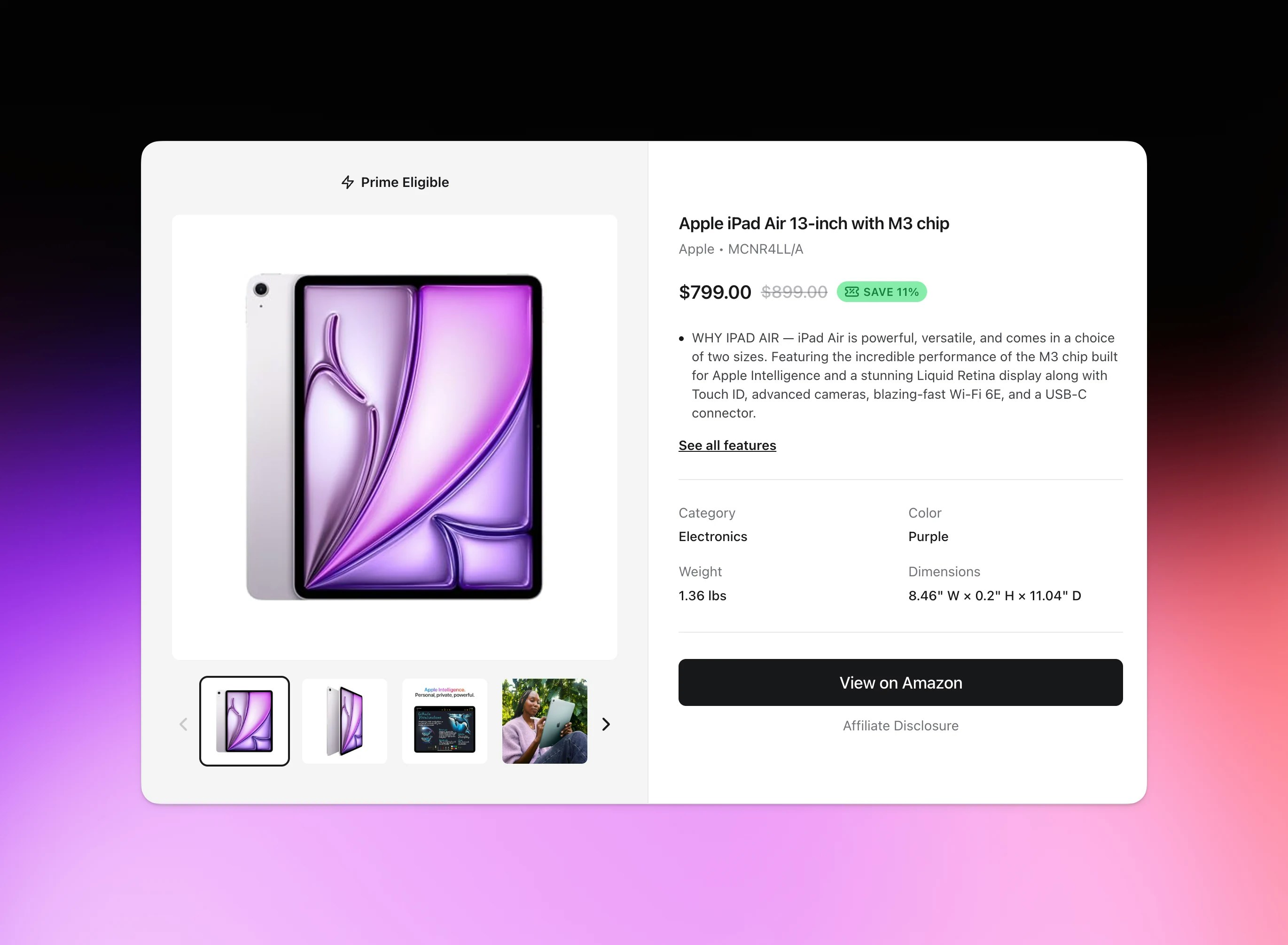
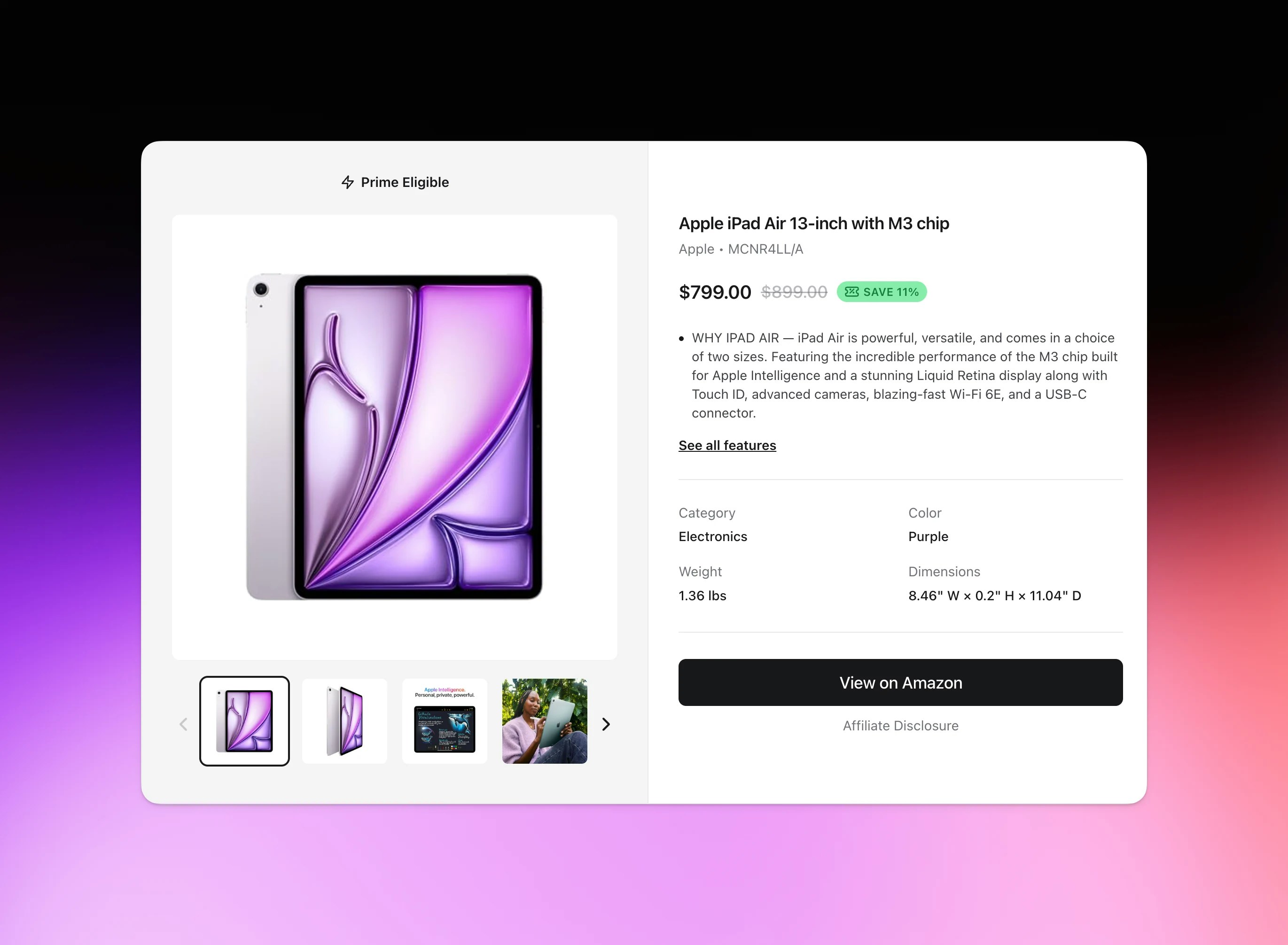
> Transform Amazon Affiliate product URLs into beautiful, embeddable product cards.
<img className="block rounded-xl dark:hidden" src="https://mintcdn.com/jasin/i6J6cz2I35E5_UCD/images/hero-light.webp?fit=max&auto=format&n=i6J6cz2I35E5_UCD&q=85&s=71547f63e2a95f4e928e2d81d00d60c6" alt="Hero Light" width="2741" height="2012" data-path="images/hero-light.webp" />

<img className="hidden rounded-xl dark:block" src="https://mintcdn.com/jasin/i6J6cz2I35E5_UCD/images/hero-dark.webp?fit=max&auto=format&n=i6J6cz2I35E5_UCD&q=85&s=21436927ff82e4b6ba9fe2fb1d65fce8" alt="Hero Dark" width="2741" height="2012" data-path="images/hero-dark.webp" />

## What is Jasin?

Jasin transforms Amazon Affiliate product URLs into beautiful, embeddable product cards for your
website, app, or blog. Just paste an Amazon link, customize the appearance and settings, and get a
simple `<script>` tag to embed anywhere.

<CardGroup cols={2}>
  <Card title="Easy Embed Generation" icon="code" href="/features/embed-cards">
    Paste any Amazon URL and get a beautiful product card
  </Card>

  <Card title="Real-time Analytics" icon="chart-mixed" href="/features/analytics">
    Track views and clicks on your embedded product cards
  </Card>

  <Card title="Simple Integration" icon="plug" href="/quickstart">
    Just copy and paste a script tag - no API required
  </Card>

  <Card title="Customizable Themes" icon="palette" href="/features/themes">
    Light and dark themes to match your site
  </Card>
</CardGroup>

***

## How It Works

<Steps>
  <Step title="Create Your Embed">
    Visit [getjasin.com](https://getjasin.com), click the "Add Product" button and paste any Amazon Affiliate
    product URL. You'll see a live preview of your product card.
  </Step>

  <Step title="Customize & Copy">
    Choose your theme, customize the appearance, then copy the generated `<script>` tag.
  </Step>

  <Step title="Embed Anywhere">
    Paste the script tag into your website, blog, or anywhere HTML is supported. The product card will
    load automatically.
  </Step>

  <Step title="Track Performance">
    View analytics in your dashboard to see how your product cards are performing.
  </Step>
</Steps>

***

## Key Features

### Simple & Fast

* **No API required** - Just copy and paste a script tag
* **Instant previews** - See your product card before embedding
* **Fast loading** - Optimized for performance
* **Mobile responsive** - Works perfectly on all devices

### Customizable

* **Multiple themes** - Light, dark, and auto (follows system preference)
* **Clean design** - Beautiful product cards that match your site
* **Affiliate support** - Use your own Amazon affiliate tags (Pro and Pro Plus plans)

### Analytics

* **View tracking** - See how many people view your product cards
* **Click tracking** - Track clicks through to Amazon
* **Performance insights** - Understand which products perform best

***

## Plans & Pricing

### Free Plan

* 10 lifetime embed credits
* Basic view and click analytics
* Community support

### Pro Plan (\$15/month)

* 25 embed credits per month
* Custom affiliate tags
* Advanced analytics with bot filtering
* Remove "Powered by Jasin" badge
* Priority support (48-hour response)

### Pro Plus Plan (\$30/month)

* 100 embed credits per month
* All Pro features included
* Priority support (24-hour response)

***

## Getting Started

Ready to create your first product embed? It takes less than 2 minutes!

<Card title="Create Your First Embed" icon="rocket" href="/quickstart">
  Follow our quickstart guide to get up and running
</Card>

***